
Download Pixar AI Posters – Free AI‑Powered Pixar‑Style Poster Creator
Overview
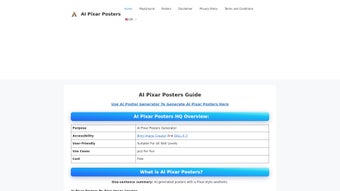
Pixar AI Posters is a web‑based application that turns simple text prompts into vibrant, Pixar‑inspired posters using the latest artificial‑intelligence models. By combining the power of Bing Image Creator and DALL·E 3, the tool generates eye‑catching artwork that looks as if it were sketched by a seasoned Pixar animator. The service is completely browser‑based, which means there is no need to install heavyweight software or own a high‑end GPU. Whether you are a teacher looking for a fun classroom activity, a marketer who needs quick visual concepts, or simply a hobbyist who enjoys experimenting with AI art, Pixar AI Posters offers a seamless, user‑friendly experience.
The platform emphasizes accessibility: anyone with an internet connection can start creating within seconds. Users type a short prompt—such as “a brave kitten on a space adventure”—and optionally add a custom title. The AI then renders a high‑resolution poster that captures the whimsical color palette and character‑centric storytelling that Pixar is famous for. In addition to single‑poster mode, the app includes a “Playground” feature that lets you generate multiple variations at once, making it ideal for brainstorming sessions or batch‑producing themed assets. The underlying AI models are updated regularly, so each generation benefits from the newest improvements in image synthesis, ensuring sharper details, more accurate lighting, and richer textures without any manual updates from the user.
Because everything runs in the cloud, the tool can tap into powerful GPU resources that would otherwise be out of reach for most personal computers. This translates into faster rendering times and higher quality outputs, even on modest devices. Moreover, the service respects user privacy: all prompts are processed over encrypted connections, and no personal data is stored unless you explicitly create an account to save projects. This combination of speed, quality, and security makes Pixar AI Posters a compelling option for anyone who wants to create professional‑looking visuals without the steep learning curve of traditional design software.
Compatibility
- Windows (any modern browser)
- macOS (Safari, Chrome, Firefox)
- Linux (Chrome, Firefox)
- Android (Chrome, Firefox)
- iOS (Safari, Chrome)
Because the service runs entirely in the cloud, the only requirement is a recent web browser that supports JavaScript and WebGL. This cross‑platform compatibility ensures that you can create Pixar‑style posters from a desktop workstation, a tablet, or even a smartphone without sacrificing quality. The responsive layout automatically adjusts UI elements for touch input on mobile devices, providing the same smooth experience you would expect on a full‑size computer.
Key Features & Benefits
- AI‑Driven Art Generation: Leverages Bing Image Creator and DALL·E 3 to produce high‑quality, Pixar‑style illustrations from simple text prompts.
- Playground Mode: Generate up to 10 poster variations simultaneously for rapid brainstorming or A/B testing.
- Custom Title Integration: Add personalized titles, taglines, or credits directly onto the poster canvas.
- Instant Download: Export creations as PNG or JPEG files in full resolution, ready for print or digital sharing.
- Responsive UI: Clean, drag‑and‑drop interface that works on desktops, tablets, and smartphones.
- Free & No Registration Required: Start creating immediately without a subscription; optional account for saving projects.
- Educational Resources: Built‑in tips on prompt engineering to help users get the best visual results.
- Secure Cloud Processing: All image generation happens on encrypted servers, ensuring privacy of your prompts and designs.
These features collectively make Pixar AI Posters a versatile tool for a broad audience. Marketers can quickly mock up campaign visuals, educators can illustrate storytelling concepts, and families can produce personalized room décor for kids. The AI’s ability to understand context means you can experiment with whimsical, surreal, or realistic themes without needing any design background. Moreover, because the output mimics the distinct Pixar aesthetic—soft lighting, expressive characters, and vivid colors—it adds an instant professional polish that would otherwise require a skilled illustrator.
Another advantage is the “Playground” mode, which eliminates the trial‑and‑error cycle typical of AI art generators. By producing multiple options side‑by‑side, you can instantly compare styles, compositions, and color schemes, then select the strongest candidate for further refinement. This batch approach is especially valuable for teams that need to iterate quickly or for teachers who want to present several examples to a classroom. The ability to export each variant at different resolutions also means you can reuse the same creative concept across multiple channels—social media, print flyers, or large‑format banners—without recreating the artwork from scratch.
Finally, the platform’s built‑in educational resources demystify prompt engineering, turning a potentially intimidating process into an approachable learning experience. Users receive real‑time suggestions for improving prompt specificity, which leads to higher‑quality results and a shorter learning curve. This focus on user empowerment distinguishes Pixar AI Posters from many competitors that leave users to figure out the nuances of AI prompting on their own.
Installation & Usage Guide
Step‑by‑Step Installation (Zero Installation Required)
- Open your preferred web browser (Chrome, Firefox, Safari, Edge) on any device.
- Navigate to https://pixarai.posters.com.
- If you wish to save projects, click “Sign Up” and create a free account using your email or Google ID. This step is optional.
- Accept the brief cookie consent banner to enable full functionality.
- The main dashboard loads instantly, presenting you with a prompt field, title box, and two mode toggles: “Single Poster” and “Playground”.
- For best performance, ensure your browser allows pop‑ups and has JavaScript enabled; the site automatically detects compatible hardware and adjusts rendering settings accordingly.
Creating Your First Pixar‑Style Poster
- Enter a descriptive phrase in the “Prompt” box. Example: “a brave kitten exploring a neon‑lit city at dusk”.
- Optionally type a custom title in the “Title” field – this text will appear at the bottom of the poster.
- Select the desired resolution (standard 1080p or high‑resolution 4K). Higher resolutions are recommended for print.
- Click “Generate”. The AI processes your request in 15‑30 seconds, displaying a preview once ready.
- Use the “Regenerate” button if you want a different style, or the “Download” button to save the final PNG/JPEG.
- After downloading, you can further edit the image in any standard graphic editor if you need to add additional layers or text.
Using Playground Mode for Batch Creation
Playground mode is ideal when you need multiple concepts. After entering your prompt, choose the number of variations (up to 10) and click “Generate Batch”. The system will render each poster in parallel, displaying a grid of thumbnails. You can then click any thumbnail to view a larger preview, edit the title, or download the selected version. The batch process consumes a single credit per run, making it an efficient way to explore creative directions without exhausting your daily free limit.
Tips for Better Results
- Be Specific: Include adjectives, setting, and character details to guide the AI.
- Use Simple Language: Overly complex sentences can confuse the model.
- Experiment with Styles: Add “in the style of Pixar” or “with soft lighting” for more authentic looks.
- Leverage the Title Field: Short, punchy titles improve visual hierarchy.
- Check Aspect Ratios: Match the aspect ratio to your intended use (e.g., 16:9 for screens, 4:5 for Instagram).
Because the platform is cloud‑based, there is no need for local GPU resources or software updates. All improvements to the underlying AI models are applied automatically on the server side, ensuring you always have access to the latest generation capabilities without manual downloads. If a new model version is released, the service will notify you with a brief banner describing the enhancements, such as improved texture fidelity or faster rendering times.
Pros, Cons & Frequently Asked Questions
Pros
- Free to use with optional account for project storage.
- No installation; works on any modern browser and device.
- High‑quality Pixar‑style output that requires no design expertise.
- Playground mode accelerates creative iteration.
- Secure cloud processing protects user data.
- Instant download in multiple resolutions.
- Educational prompts help beginners learn AI art creation.
- Regular model updates keep the tool cutting‑edge.
Cons
- Requires an internet connection; offline use not possible.
- Limited to the artistic style of Pixar – less suitable for other visual aesthetics.
- Free tier imposes a daily generation limit (e.g., 20 posters per day).
- Advanced prompt tuning may need some trial and error for perfect results.
- Commercial licensing terms require periodic review to stay compliant.
FAQ
Is Pixar AI Posters really free?
Yes, the core features—including single poster creation and Playground mode—are completely free. A premium subscription is optional and removes daily generation limits and adds priority processing.
Do I need a Pixar account to use the tool?
No. You can generate posters without signing up. Creating an account only enables you to save projects to the cloud for later editing.
What file formats are available for download?
Posters can be downloaded as high‑resolution PNG or JPEG files. Both formats retain the original color depth and are suitable for printing or digital sharing.
Can I use the generated images for commercial purposes?
Yes. The free license granted by Pixar AI Posters allows commercial use, provided you do not claim ownership of the underlying AI model. Always check the latest terms of service for any updates.
How does Playground mode differ from single poster mode?
Playground mode generates multiple variations of the same prompt in a single batch, letting you compare styles side‑by‑side. Single poster mode creates one image at a time, which is ideal for focused work.
Is there a way to increase my daily generation limit?
Upgrading to the premium subscription raises the limit to 200 posters per day and provides faster rendering queues. The subscription is billed monthly and can be cancelled at any time.
Overall, Pixar AI Posters strikes a solid balance between accessibility and creative power. The free tier is generous enough for casual users, while the optional premium upgrade satisfies power users who need higher limits and faster processing. Whether you’re crafting classroom visuals, marketing concepts, or personal décor, the platform’s intuitive design and Pixar‑like output make it a compelling addition to any digital‑art toolbox.
Conclusion & Call to Action
If you’ve been searching for a hassle‑free way to produce eye‑catching, animated‑style posters without hiring a designer, Pixar AI Posters delivers exactly that. Its blend of cutting‑edge AI, playful Pixar aesthetics, and browser‑based convenience turns any text idea into a vibrant visual in seconds. The tool’s cross‑platform compatibility, secure cloud processing, and generous free tier mean you can start creating right now—whether you’re on a Windows PC, a MacBook, an Android phone, or an iPad.
Ready to unleash your imagination? Visit the Pixar AI Posters website, enter a fun prompt, and download your first AI‑generated poster today. Remember, the more specific your description, the richer the result—so don’t be shy about adding details, emotions, and settings. Happy creating!
Pixar AI Posters offers an impressive blend of AI power and user‑friendly design, making it easy for anyone to create high‑quality Pixar‑style artwork without any graphic‑design background. The free tier, Playground mode, and instant download options provide real value for educators, marketers, and hobbyists alike.



.png)



